
macOS launcher · window & tab switcher · scripts
QTool
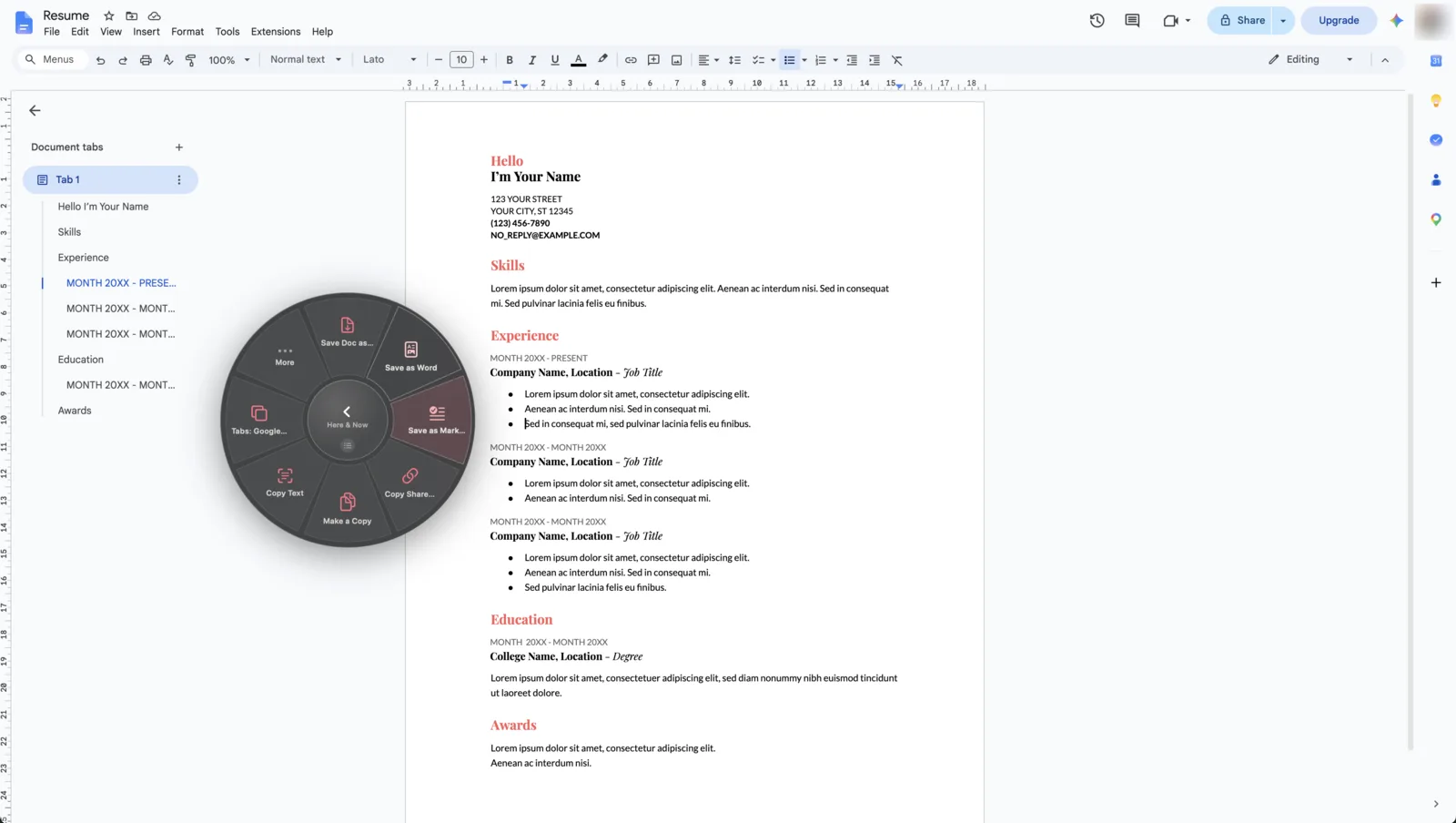
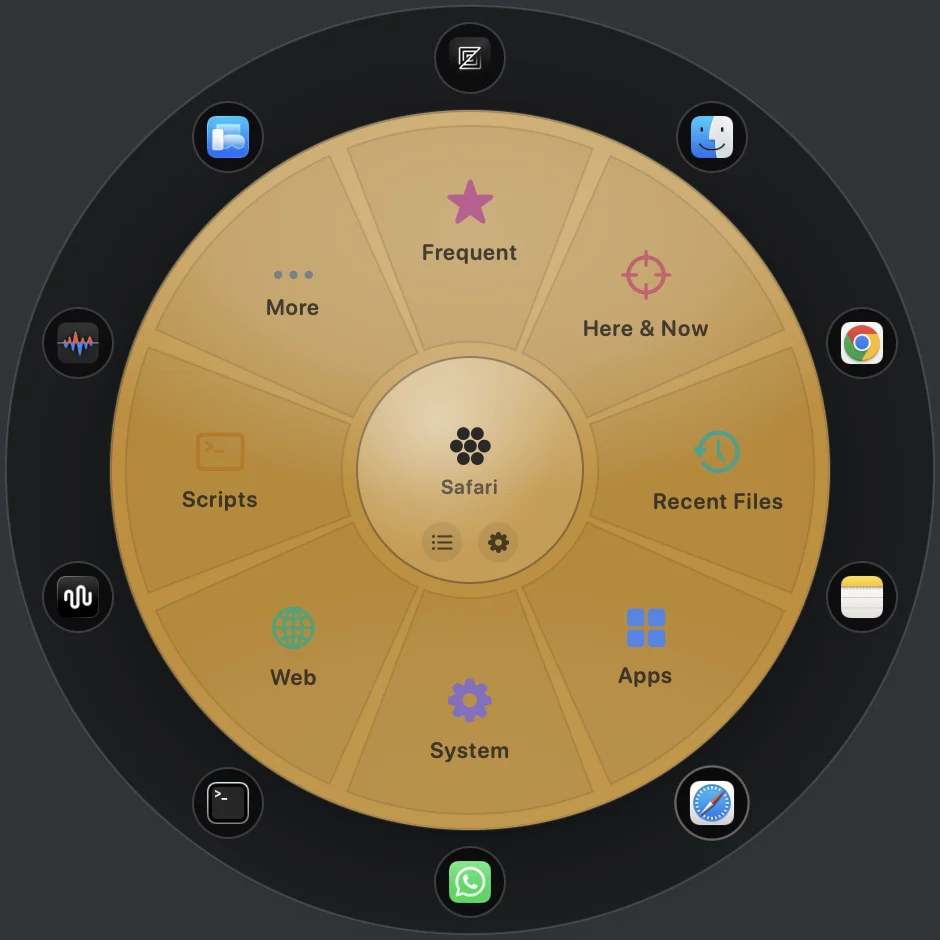
Summon a frosted-glass wheel of your actions — anywhere, over any app. Flick toward one and release, or just start typing. Apps, scripts, snippets, window snaps and your open browser tabs — one gesture away.
Buy QTool
$19.99
One-time · lifetime license
macOS 13+
Apple-notarized
Universal · Apple Silicon + Intel
How it works
One gesture. Everything you do.
QTool floats a wheel of your actions at the cursor and gets out of the way. Reach for what you want by flick, by key, or by typing — then it vanishes.
01
Summon anywhere
⌥Space opens it at your cursor, over any app — or use the menu-bar icon or an optional hot corner. No Dock icon, no window to manage.
02
Flick & release
Selection is direction-based: flick toward a segment and let go. Haptic ticks confirm the pick — and it works even past the wheel's edge.
03
Fully keyboard
1–9 fire segments, arrows rotate, Return
fires, ⌫ steps back. Everything is reachable without a mouse.
04
Type to search
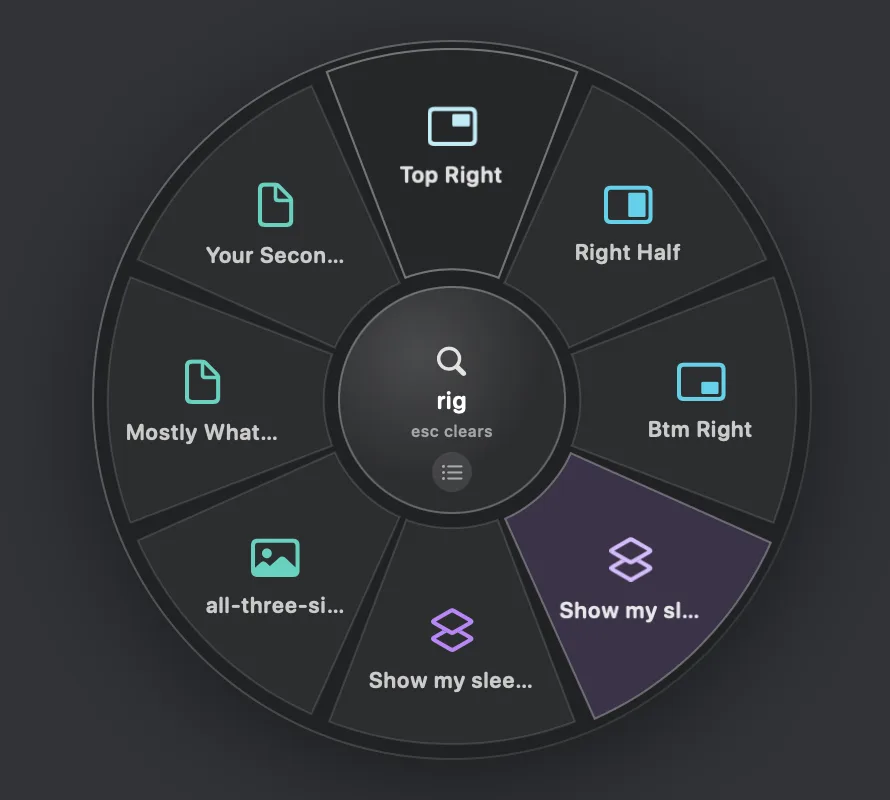
Just start typing — the hub becomes a fuzzy search across every action and your open browser tabs. Frecency floats what you use most.
05
Actions of every kind
Launch apps, run shell scripts and macOS Shortcuts, open URLs, fire keystrokes. Drop a script in a folder and it becomes an action — no rebuild.
06
Native & private
A signed, notarized menu-bar app — ~33 MB, ~0.1% idle CPU. No account, no telemetry; your whole config is a local JSON file.
Two tools in one wheel
A launcher and a switcher.
A Launch
Fire any action
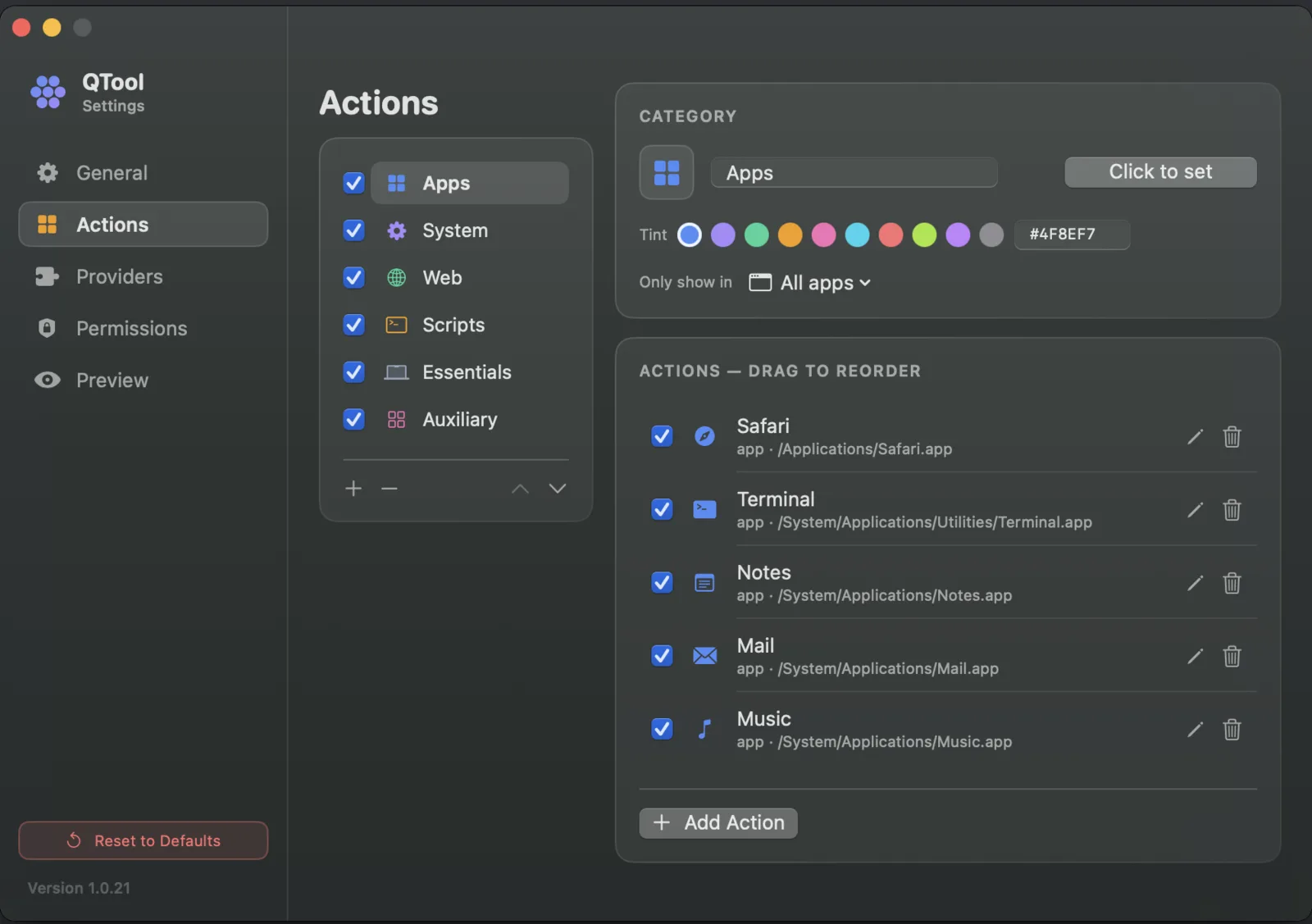
Build categories of the things you do, each an SF Symbol and a tint. QTool learns your habits and floats a Frequent ring first.
- › Apps, URLs & files — open in a flick
- › Shell scripts & Shortcuts — with context passed in
- › Clipboard transforms — JSON, base64, case, slugify
- › Window snapping — halves, quarters, maximize
B Switch
Apps → windows → tabs
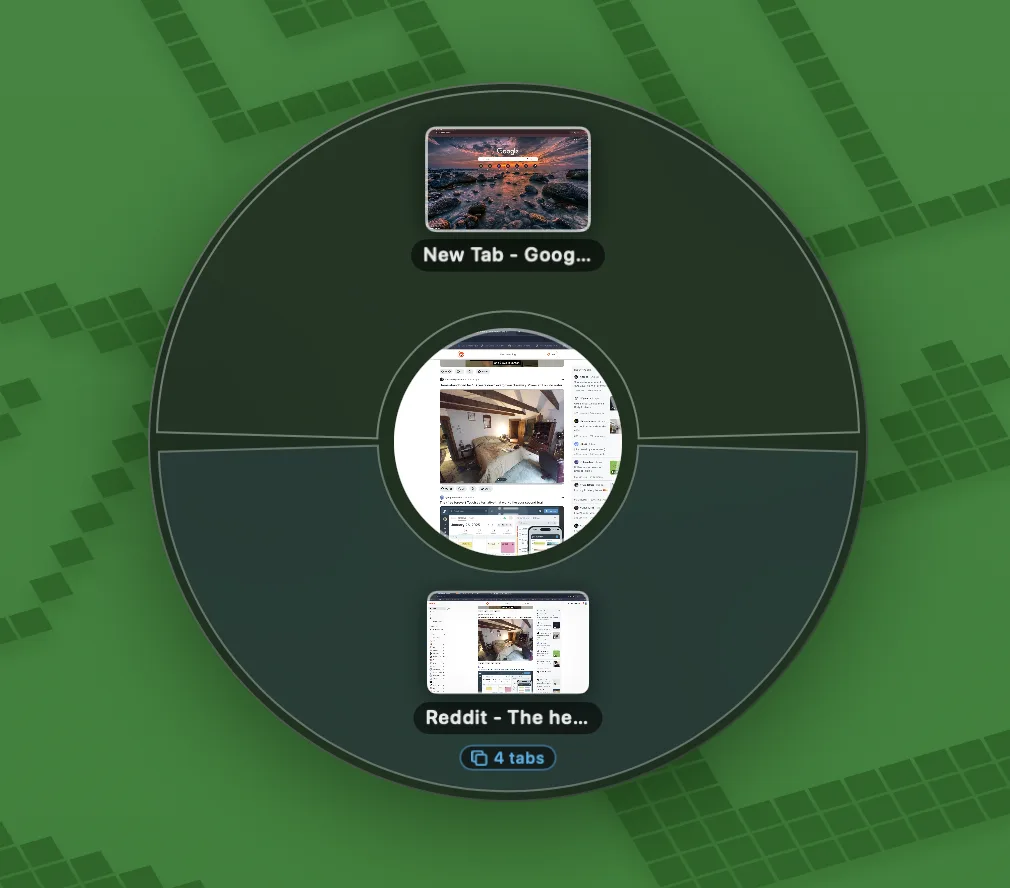
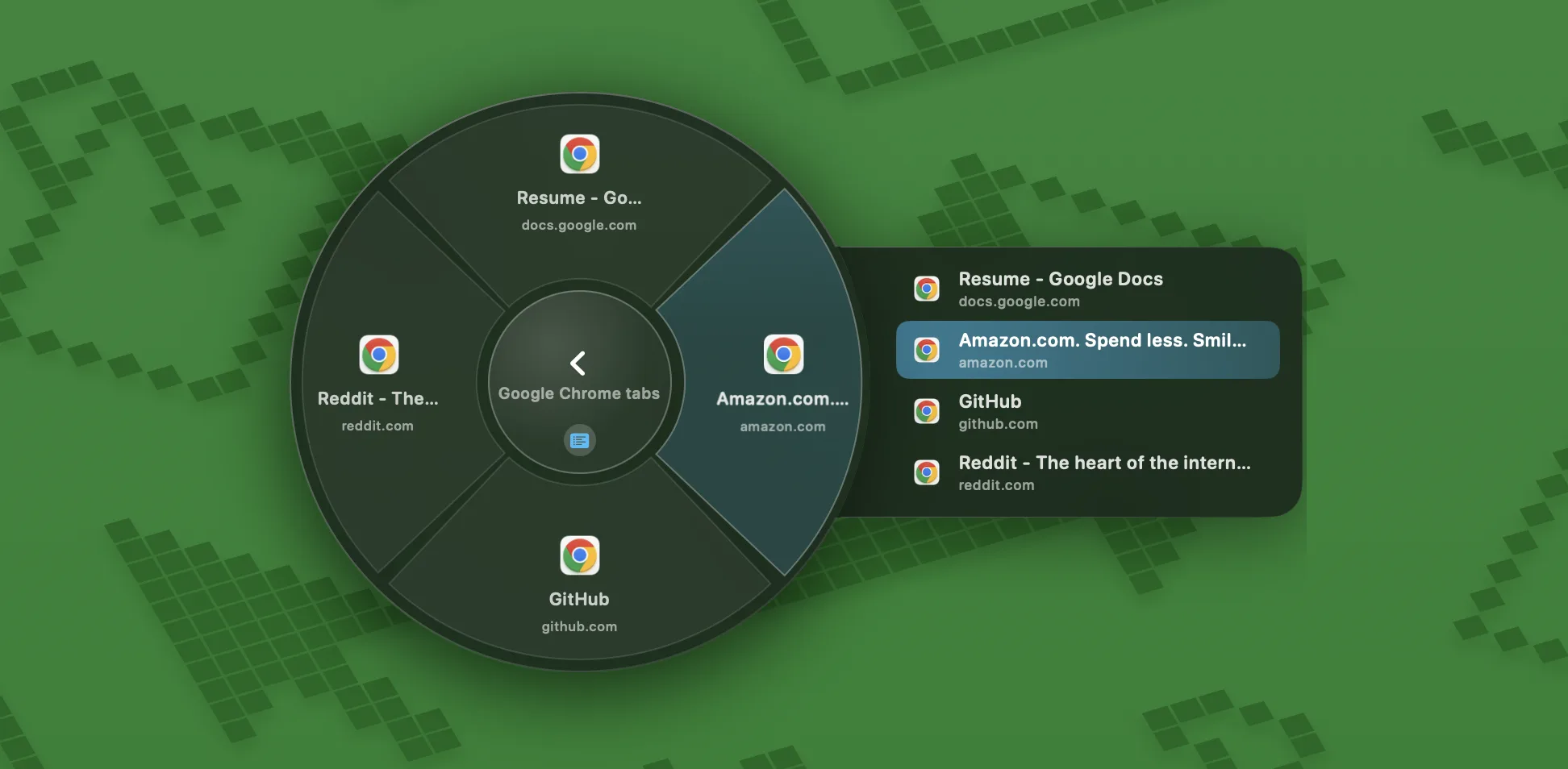
The same wheel is a switcher with three levels — pick an app, drill into its window carousel with live thumbnails, then into its tabs.
- › Every Space — windows the Dock can't reach
- › Browser & native tabs — Chrome, Safari, Finder…
- › Type “gmail” to jump straight to the tab
- › ⌥Tab for a dedicated app switcher
Dynamic categories
The wheel reads the moment.
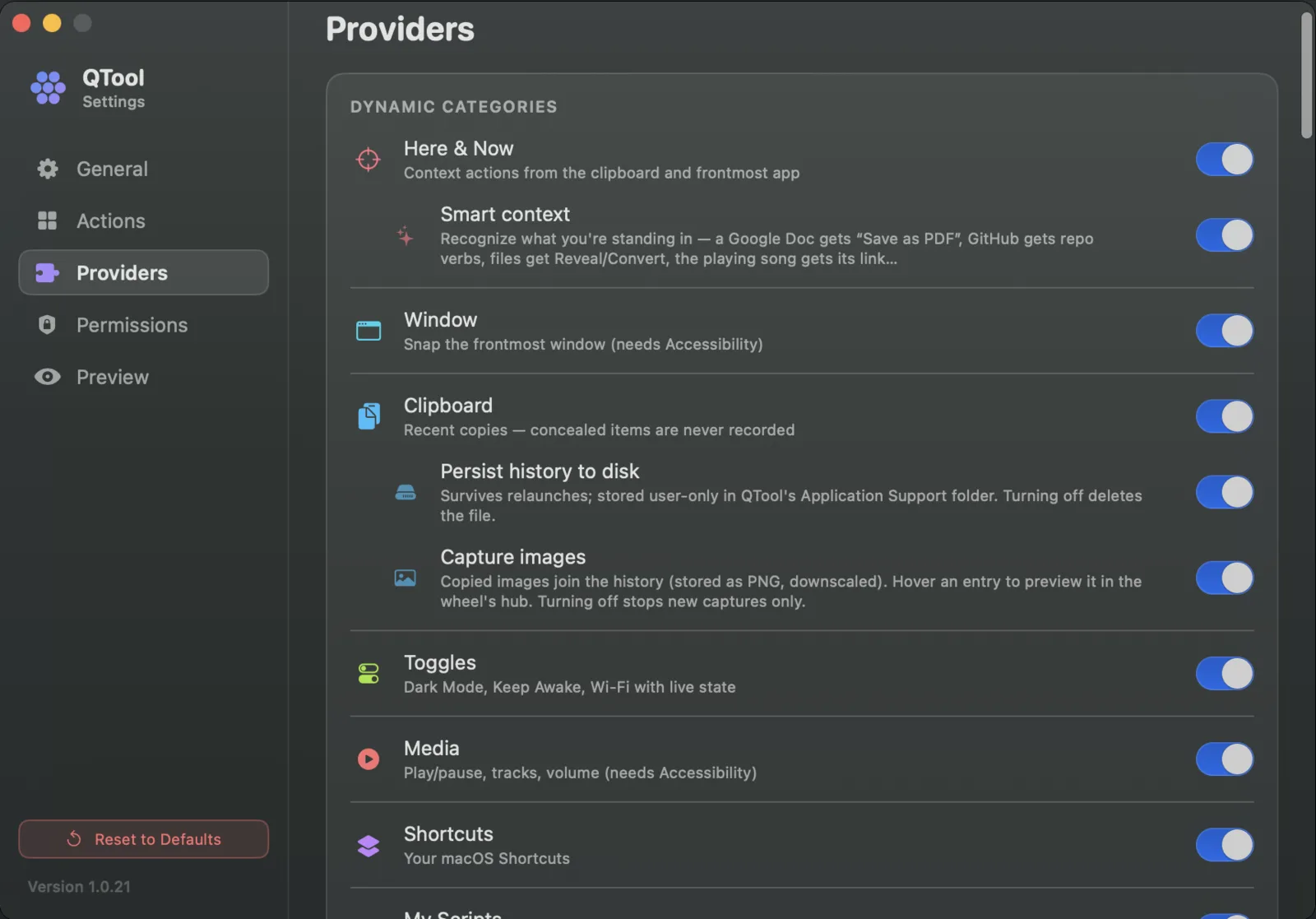
Beyond your own categories, providers add live actions built from what you're doing right now — the frontmost app, the clipboard, the current tab.
- +Here & Now — open the clipboard, reveal the current file, jump to your last app's tabs
- +Toggles & Media — Dark Mode, Wi-Fi, Keep Awake; play/pause, volume, next
- +Clipboard history — recent copies, password entries never recorded
- +My Scripts & Shortcuts — your automations, cached so the wheel never waits
- +Recent Files — the documents you touched lately, any app, one click to reopen
Here & Now
See it work
Every level, one wheel.
Type to search across your actions and open tabs, switch between windows with live thumbnails, or fan everything out as a list — the ring stays live the whole time.
Search
Switcher
List view
Make it yours
Skin it. Fill it. Wire it up.
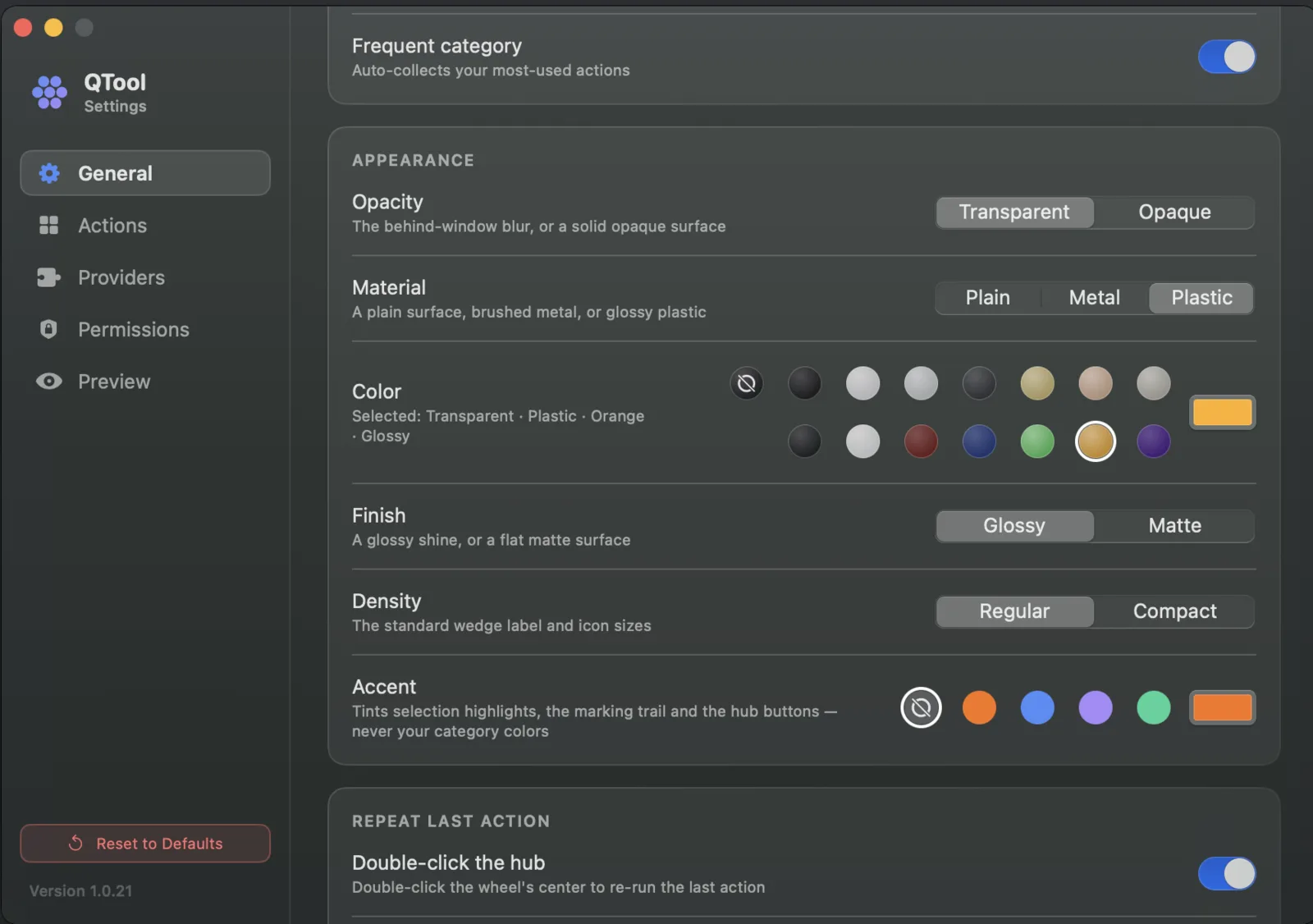
Every wedge, tint and material is yours to set. Swap the glass for opaque metal or a bold color, build your own categories, and toggle the live providers on or off.
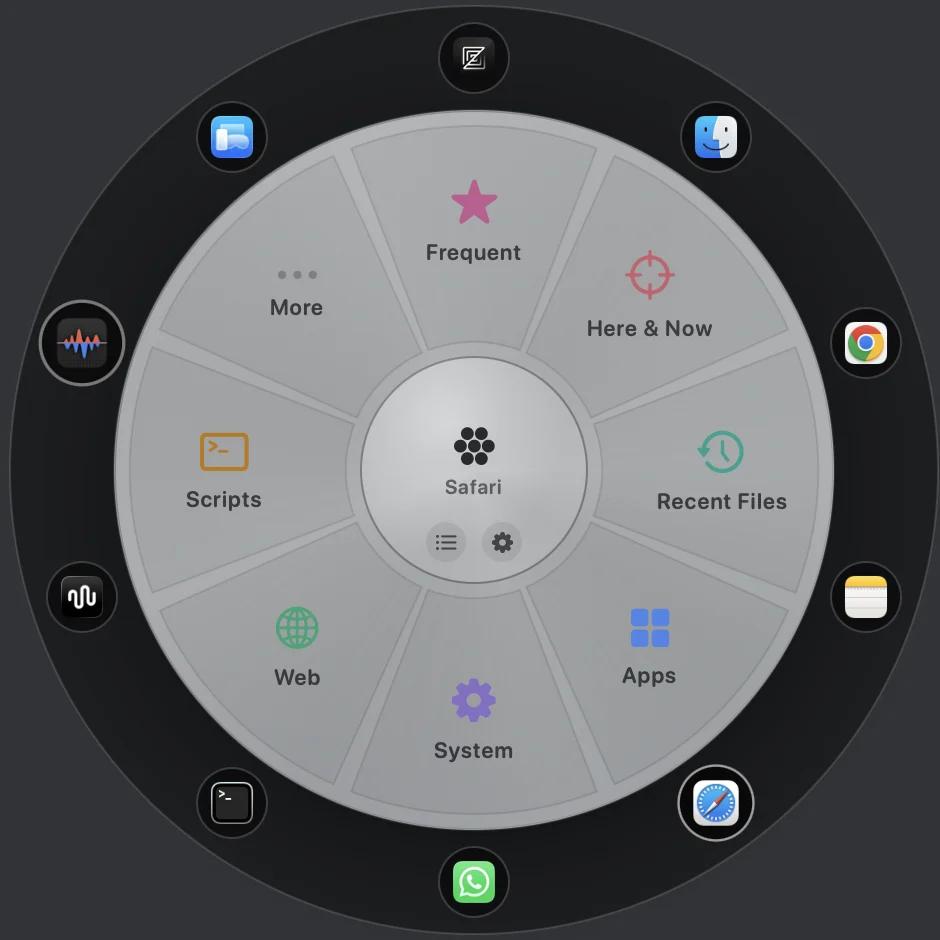
Appearance
Actions
Providers
Specification
Native, signed, universal.
A direct download, not the Mac App Store. Every copy is signed and notarized by Apple, so it installs cleanly with no security warnings — and QTool runs quietly from the menu bar with no Dock icon.
ProductQTool
Version2.0.0
PlatformmacOS 13.0+
ArchitectureUniversal
Signed byApple Developer ID
NotarizedApple-verified
CategoryLauncher, window & tab switcher · utilities
Purchase
Own it once. Summon forever.
A one-time license for QTool 2.0 — every 2.x update included. Handled internationally by Creem, with tax and receipts sorted.
✓ Lifetime license
✓ Notarized download
✓ 14-day refund