


macOS firewall · live monitor · scan detection · v1.0.1

NetGuard
See every connection your Mac makes — in and out — and decide who gets through. A per-app firewall with a live traffic monitor and encrypted DNS, that also watches for the inbound scans and probes most Mac firewalls ignore.
Buy NetGuard
$39.99
One-time · lifetime license
macOS 15+
Apple-notarized
Universal · Apple Silicon + Intel
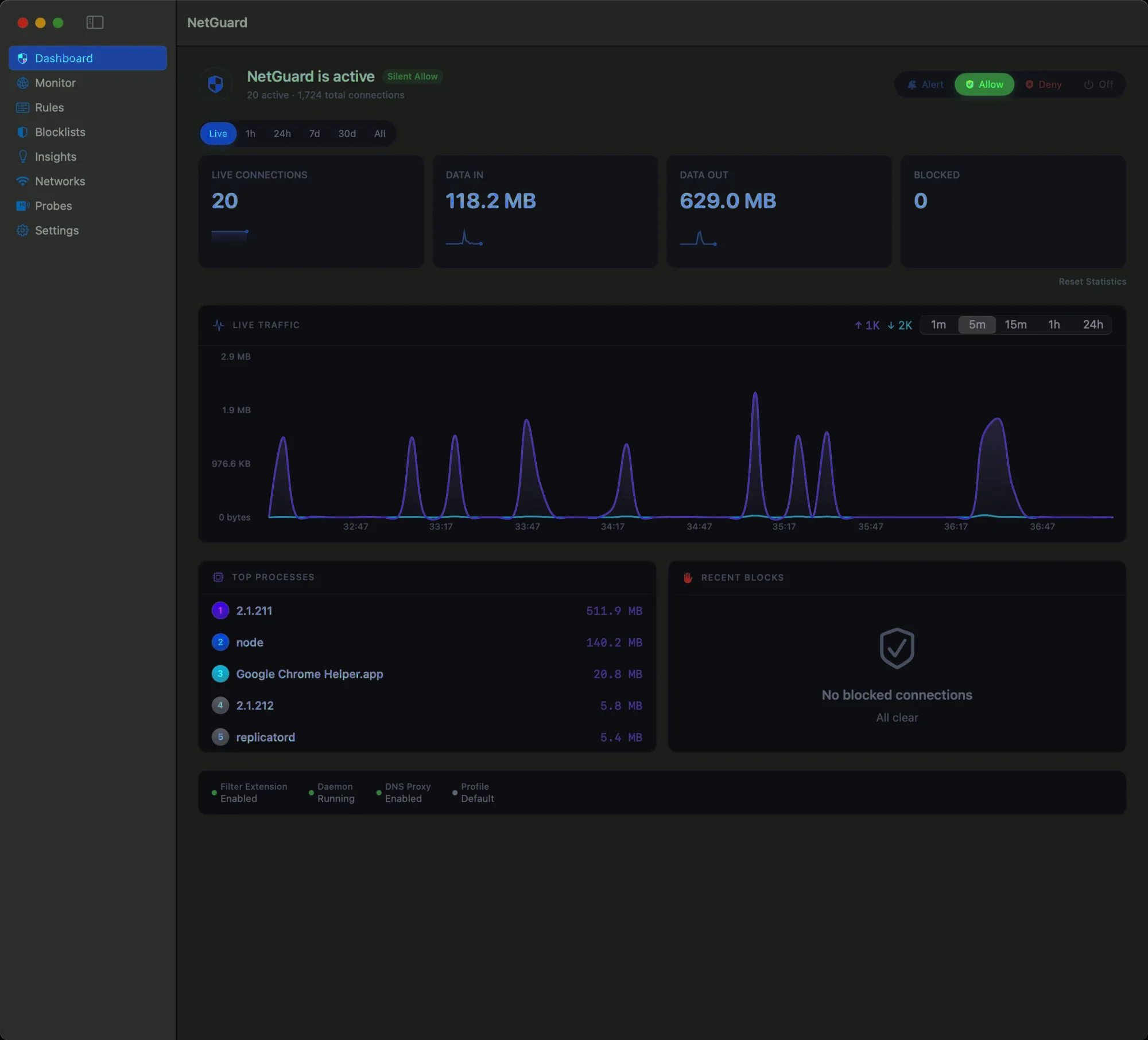
Plate 01 · Dashboard
What it does
A firewall that shows its work.
NetGuard intercepts connections at the process level, checks each against your rules, and either allows, denies, or asks — so nothing leaves your Mac unseen.
01
Per-app firewall
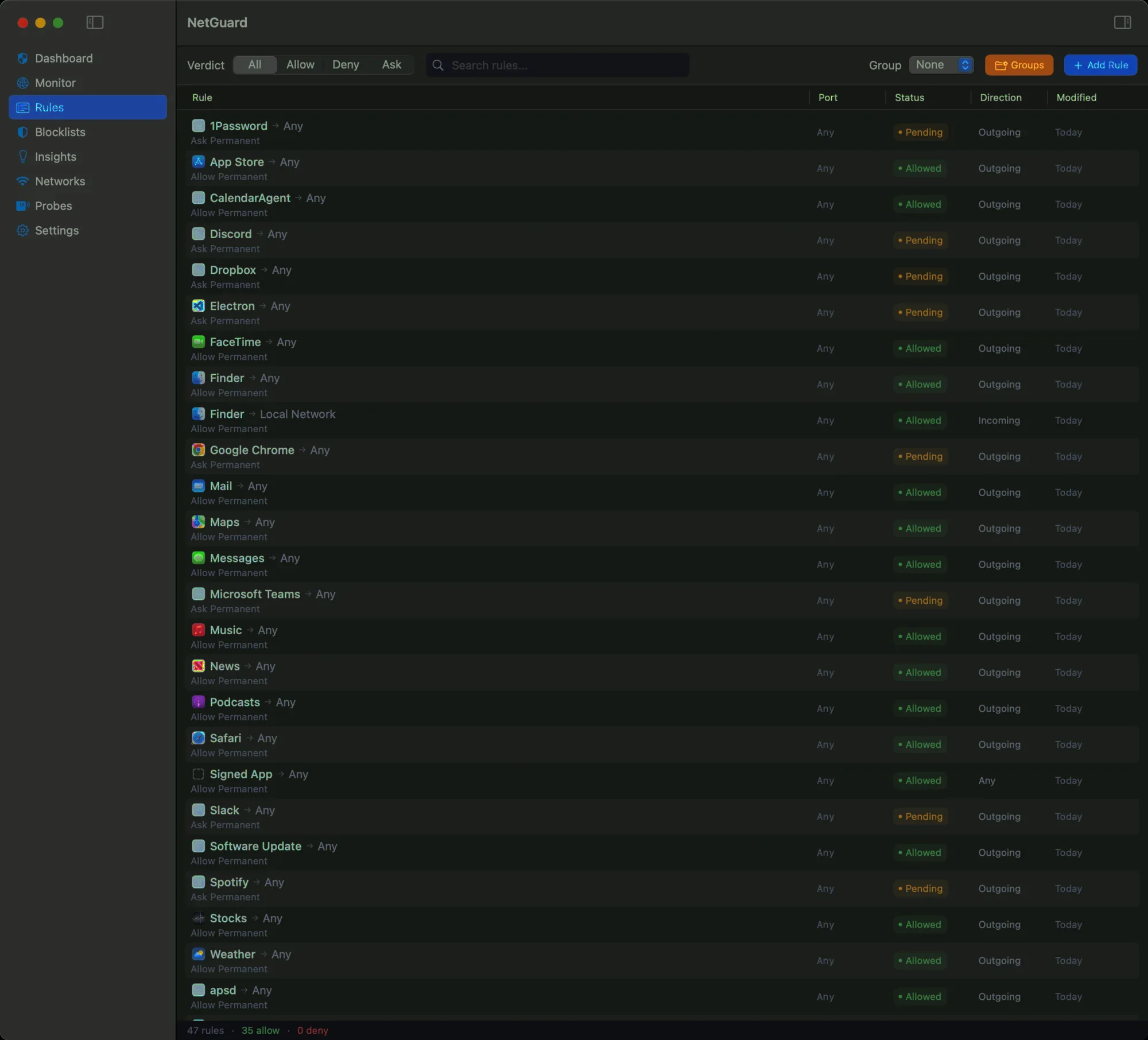
Every outgoing connection is matched to the app that opened it, then allowed, denied, or held for you to decide.
02
Ask, once
A clean alert names the app, host and port. Answer once and NetGuard remembers the rule — by app, domain, or connection.
03
Live traffic monitor

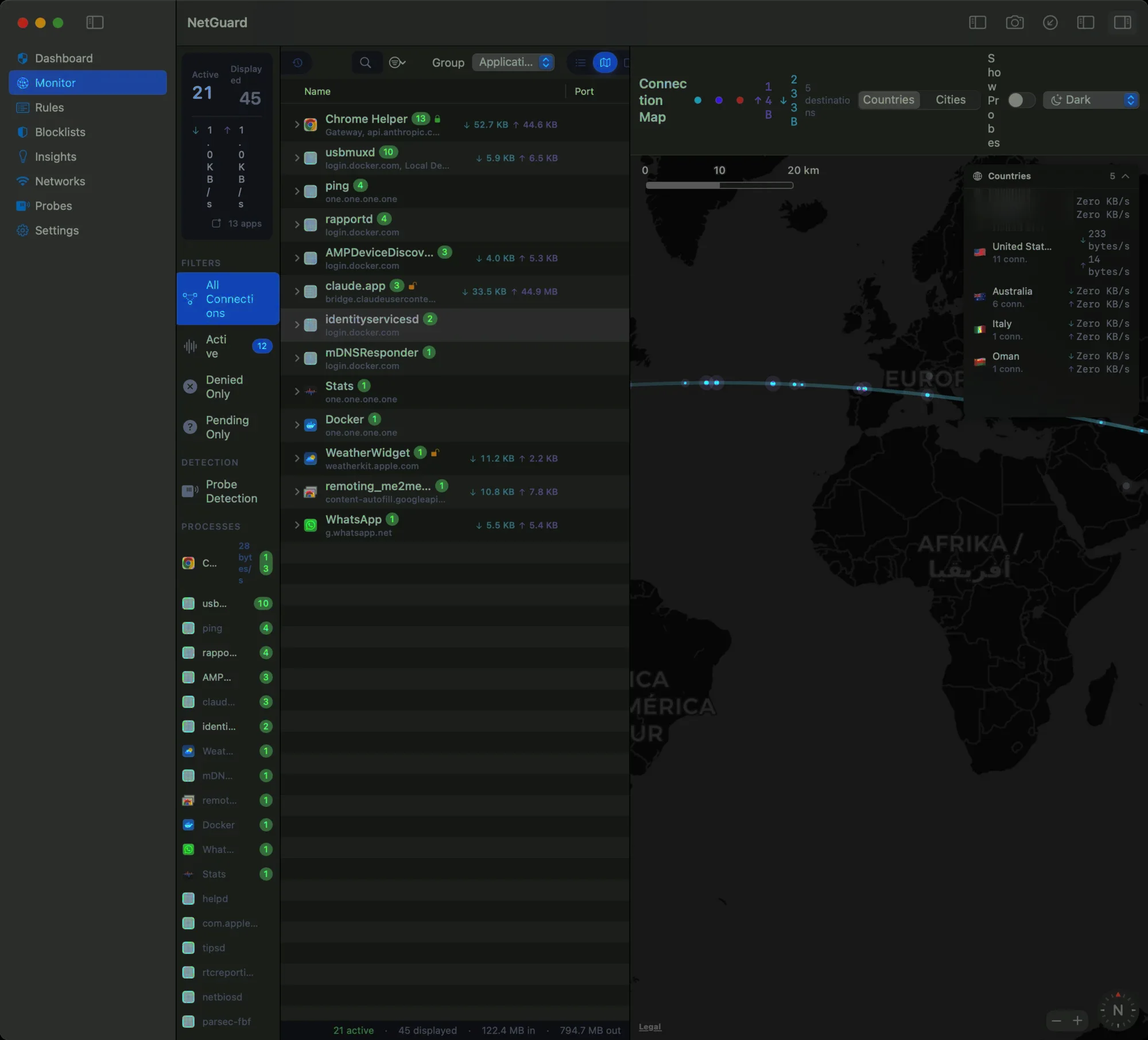
Watch connections as they happen, ranked by app, plotted on a world map with GeoIP — see exactly where traffic goes.
04
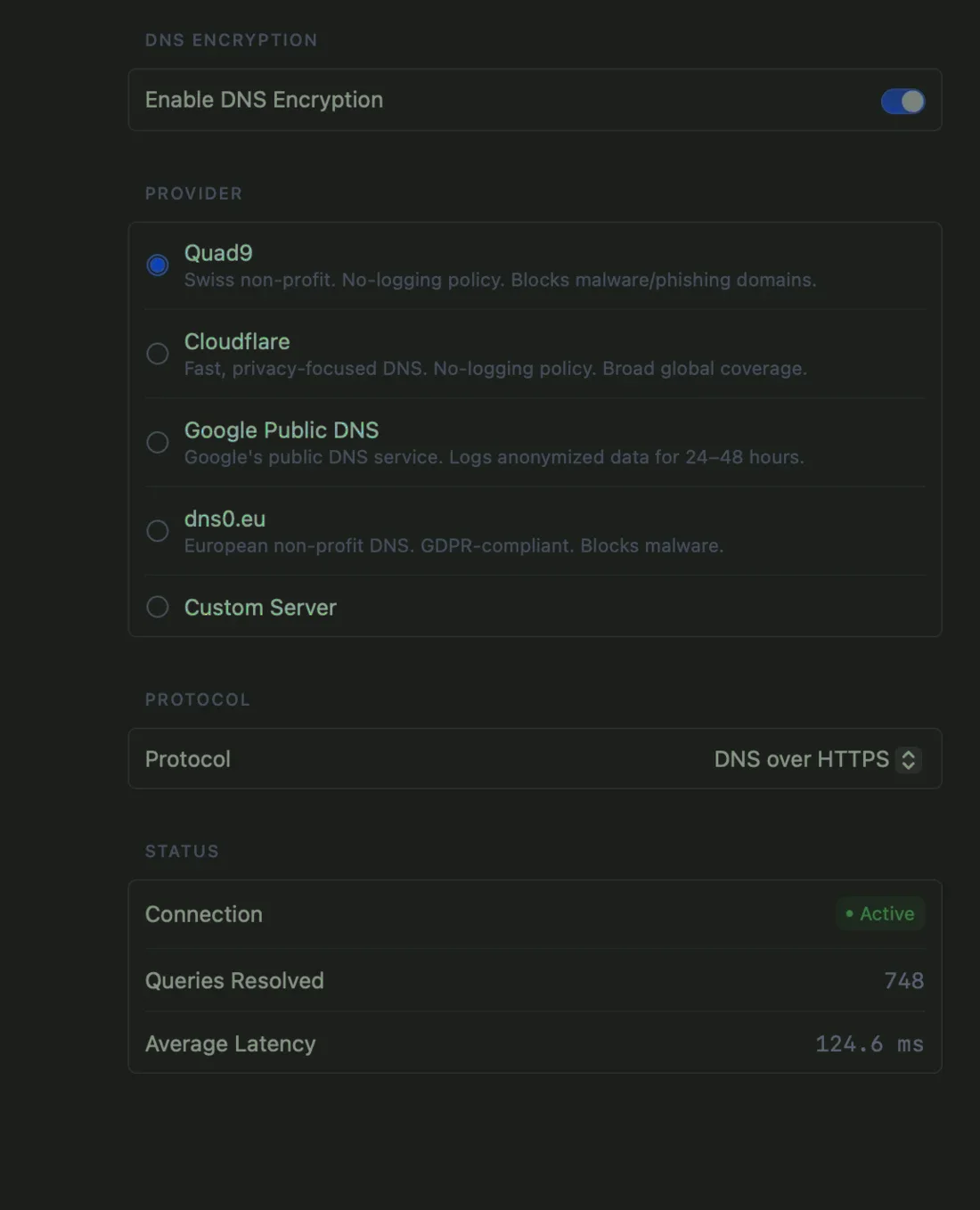
Encrypted DNS
A built-in proxy resolves names over DoH, DoT and DoQ, so lookups stay private and can't be sniffed on the wire.
05
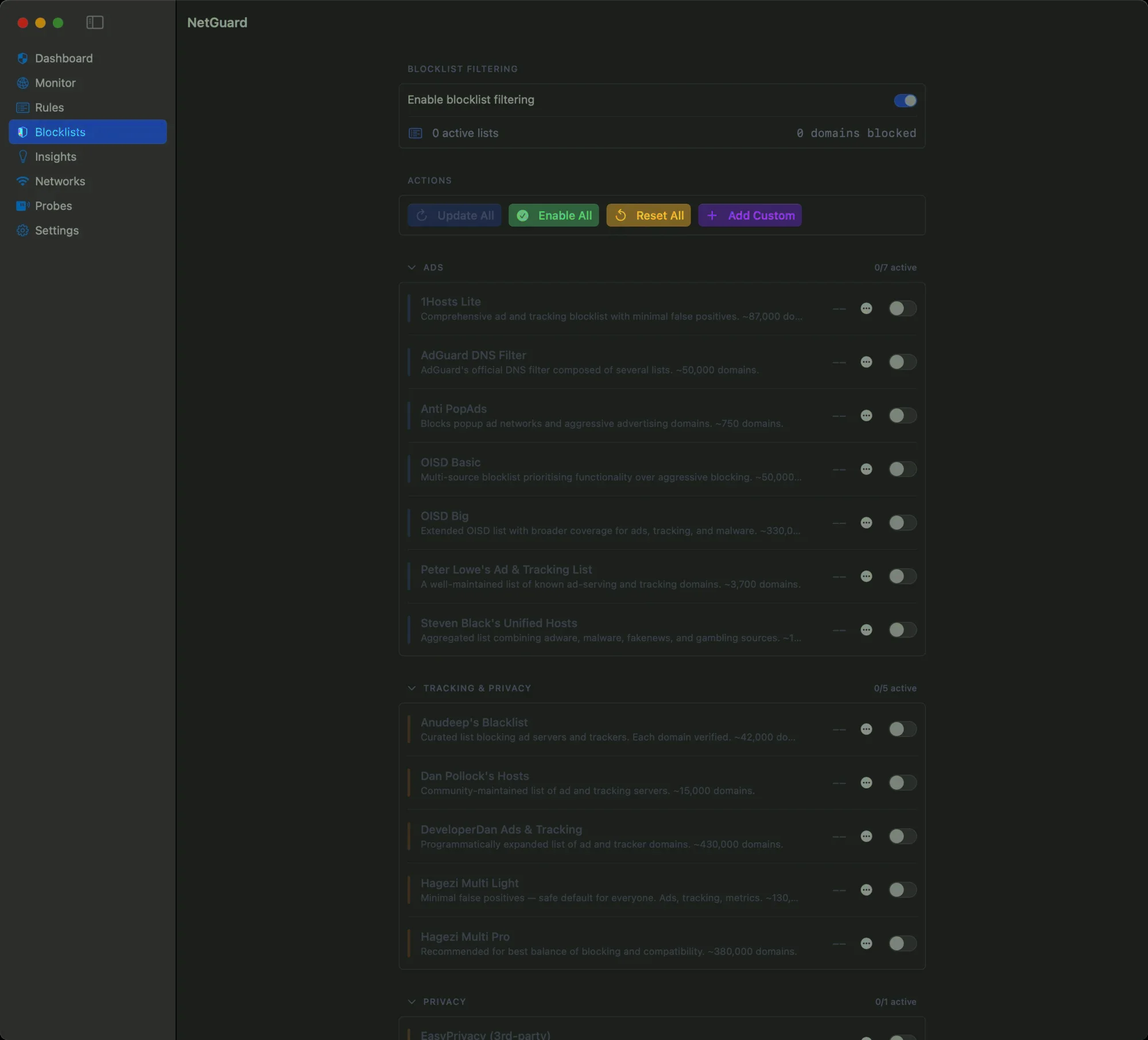
Blocklists built in
Millions of tracker and malware domains, blocked before they resolve — updatable, and enforced at the DNS layer.
06
Native & private
SwiftUI + NetworkExtension, with an encrypted rules database on-device. No accounts, no telemetry — signed and notarized.
Live map
Watch every connection, in and out.
Outgoing and incoming traffic is plotted by GeoIP and animated in real time — see where your Mac is reaching out to, and who's reaching back.
Plate 02 · Connection Map
Both directions
Controls what gets out. Watches what comes in.
Most Mac firewalls only police what leaves. NetGuard does both — a per-app firewall for every outgoing connection, plus active detection of the scans and probes coming the other way.
1 Outbound control
Decide who gets out
Per-app, per-connection verdicts with a live monitor and a world map.
- ✓ Allow, deny or ask on every new connection
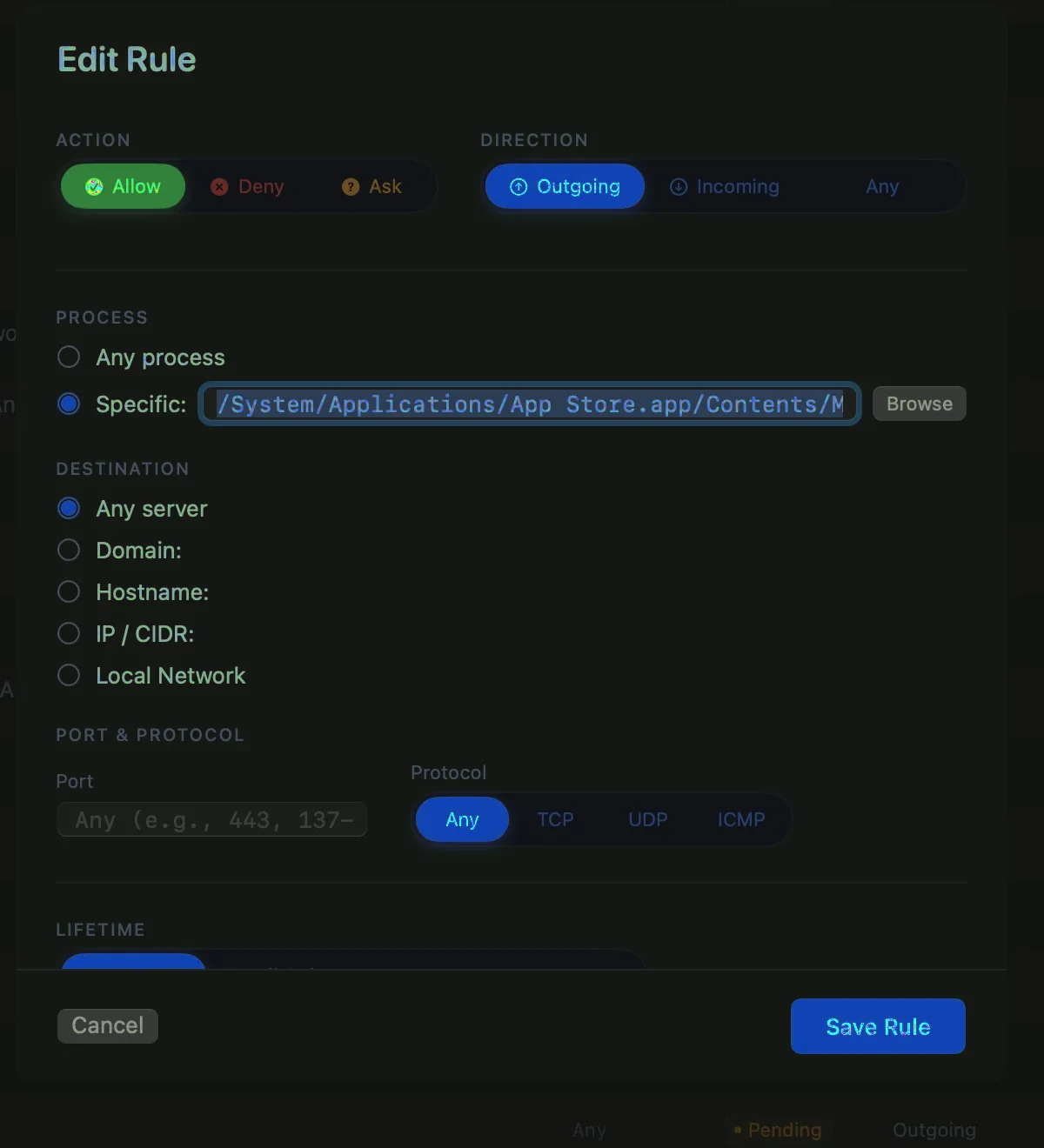
- ✓ Rules by app, domain, port & network
- ✓ Encrypted DNS & blocklists stop trackers at the source
2 Inbound detection
Catch what's probing you
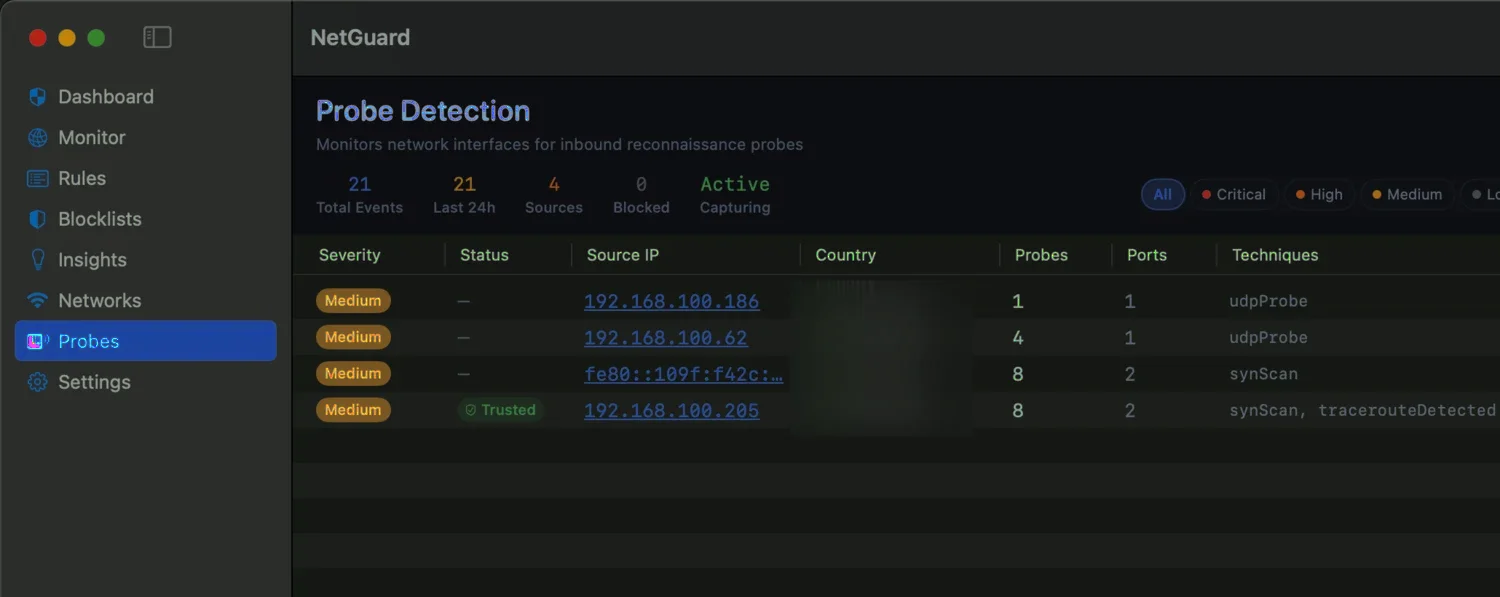
Reconnaissance against your Mac is flagged before it turns into something worse.
- ✓ Spots SYN scans, UDP probes & traceroutes
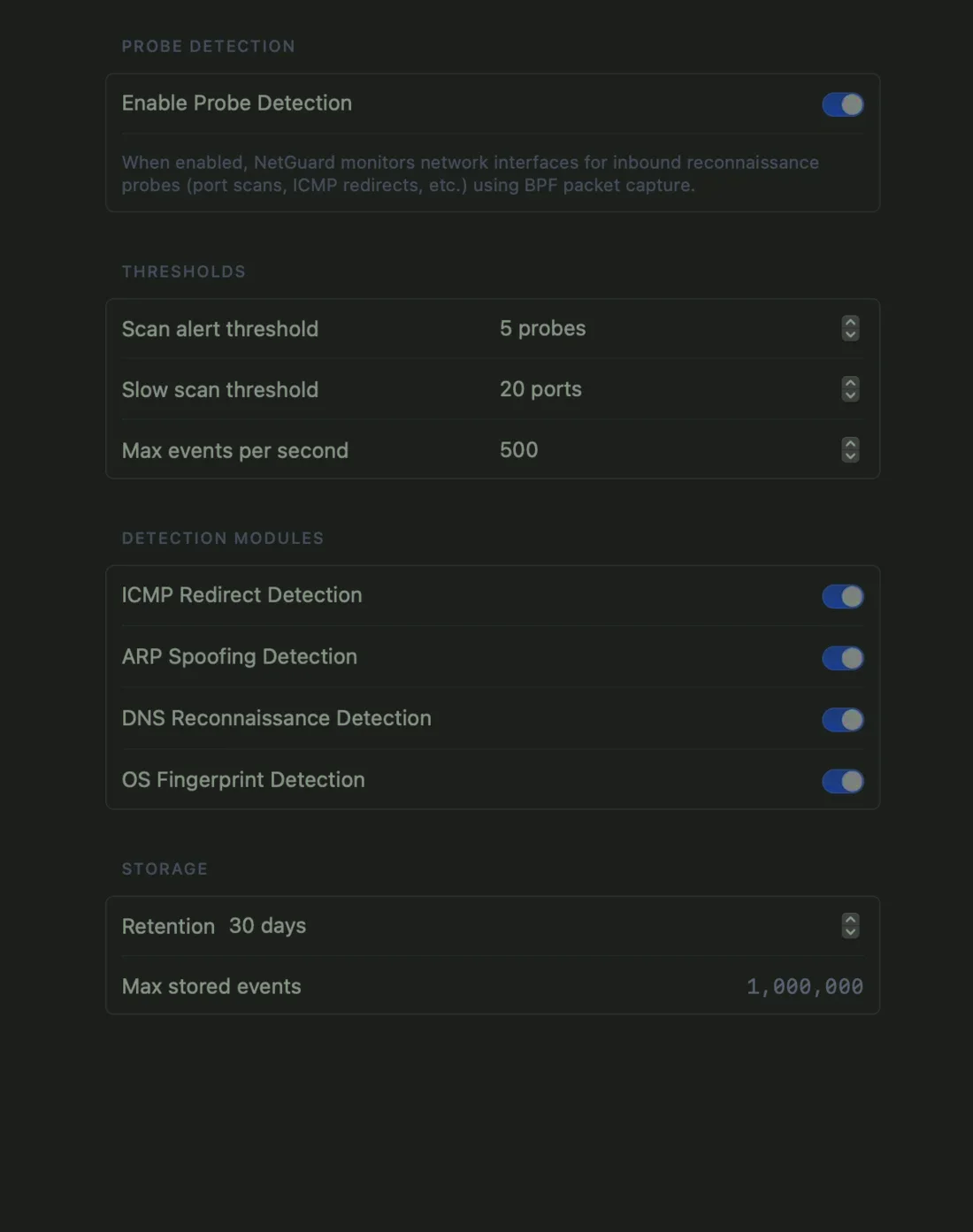
- ✓ ARP-spoofing, ICMP-redirect & OS-fingerprint modules
- ✓ BPF packet capture with tunable thresholds
Probes · detected
Settings · Probes
The tour
Every screen, built for control.
A real macOS app — not a menu-bar toy. Eight screens for monitoring, rules, blocklists, insights and network profiles, each doing one job well.
Monitor
Rules
Rule editor
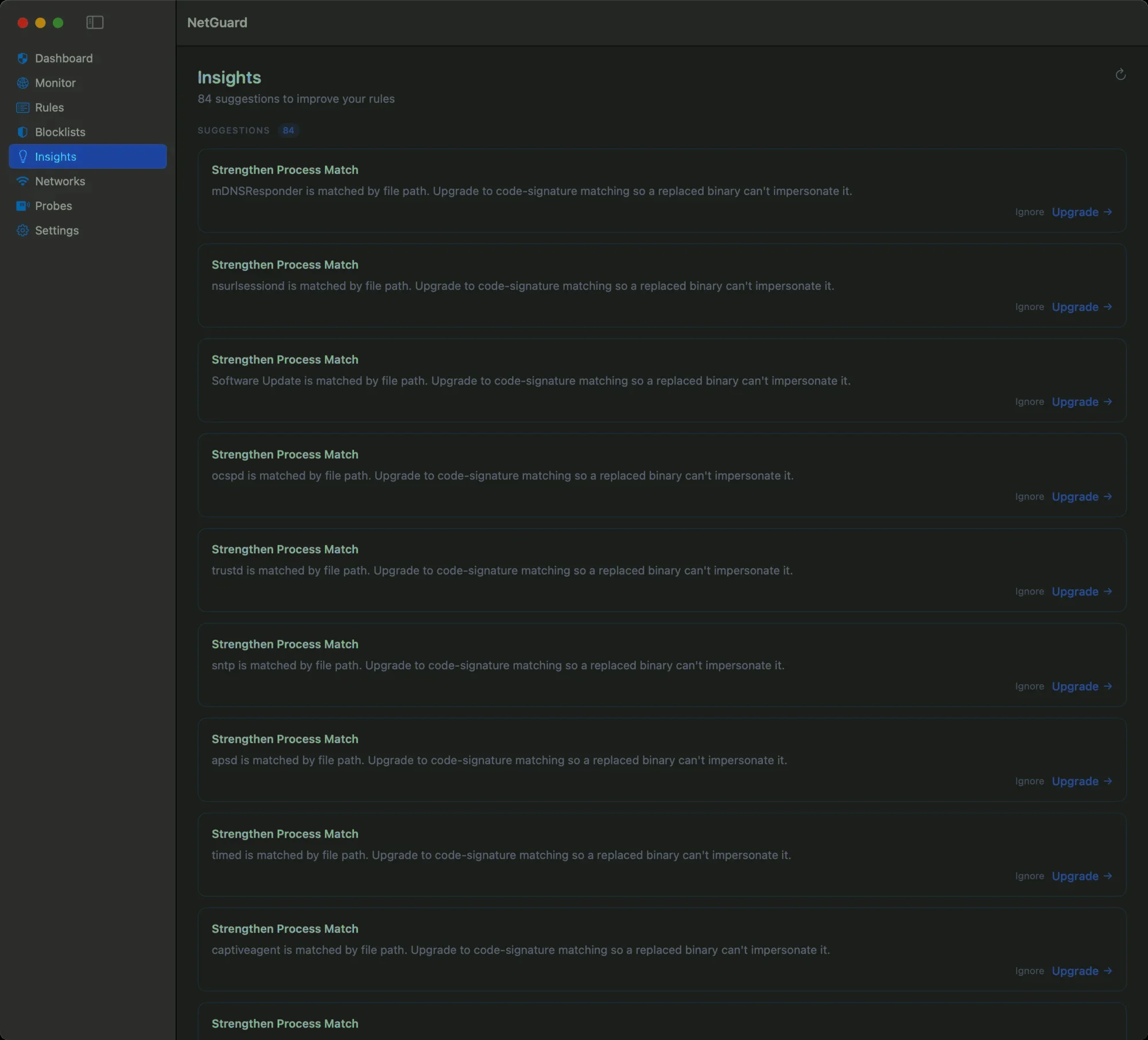
Insights
Encrypted DNS
Blocklists
The model
Your rules, enforced on the device.
- 01Ask before it leaves. New connections pause for a verdict — you allow or deny, and the choice becomes a rule.
- 02Everything is local. Rules and traffic history live in an encrypted database on your Mac. Nothing is sent to us.
- 03Incoming too. Inbound connections run the same rule engine, with a policy you set — follow, deny-all, or always ask.
- 04Never holds traffic hostage. If a license ever can't be verified, filtering steps aside — the network keeps working, it just stops guarding.
Allow “Updater” to connect out?
An app is trying to reach the internet.
Deny
Allow
Scope · this app, always
Specification
Native, signed, universal.
A direct download, not the Mac App Store — a system-wide network filter can't run inside the App Store's sandbox. Every copy is signed and notarized by Apple, so it installs cleanly with no security warnings.
ProductNetGuard
Version1.0.1
PlatformmacOS 15.0+
ArchitectureUniversal
Signed byApple Developer ID
NotarizedApple-verified
CategoryApplication firewall & traffic monitor · utilities
Purchase
Own it once. Guard forever.
A one-time license for NetGuard 1.0 — every 1.x update included. Handled internationally by Creem, with tax and receipts sorted.
✓ Lifetime license
✓ Notarized download
✓ 14-day refund