


macOS utility · v2.0.0

MacCleanup
Reclaim disk space on macOS — without gambling with your data. It shows you everything first, deletes nothing without confirmation, and guards every removal against strict path rules.
Buy MacCleanup
$9.99
One-time · lifetime license
macOS 14+
Apple-notarized
1.7 MB download
Plate 01 · Overview
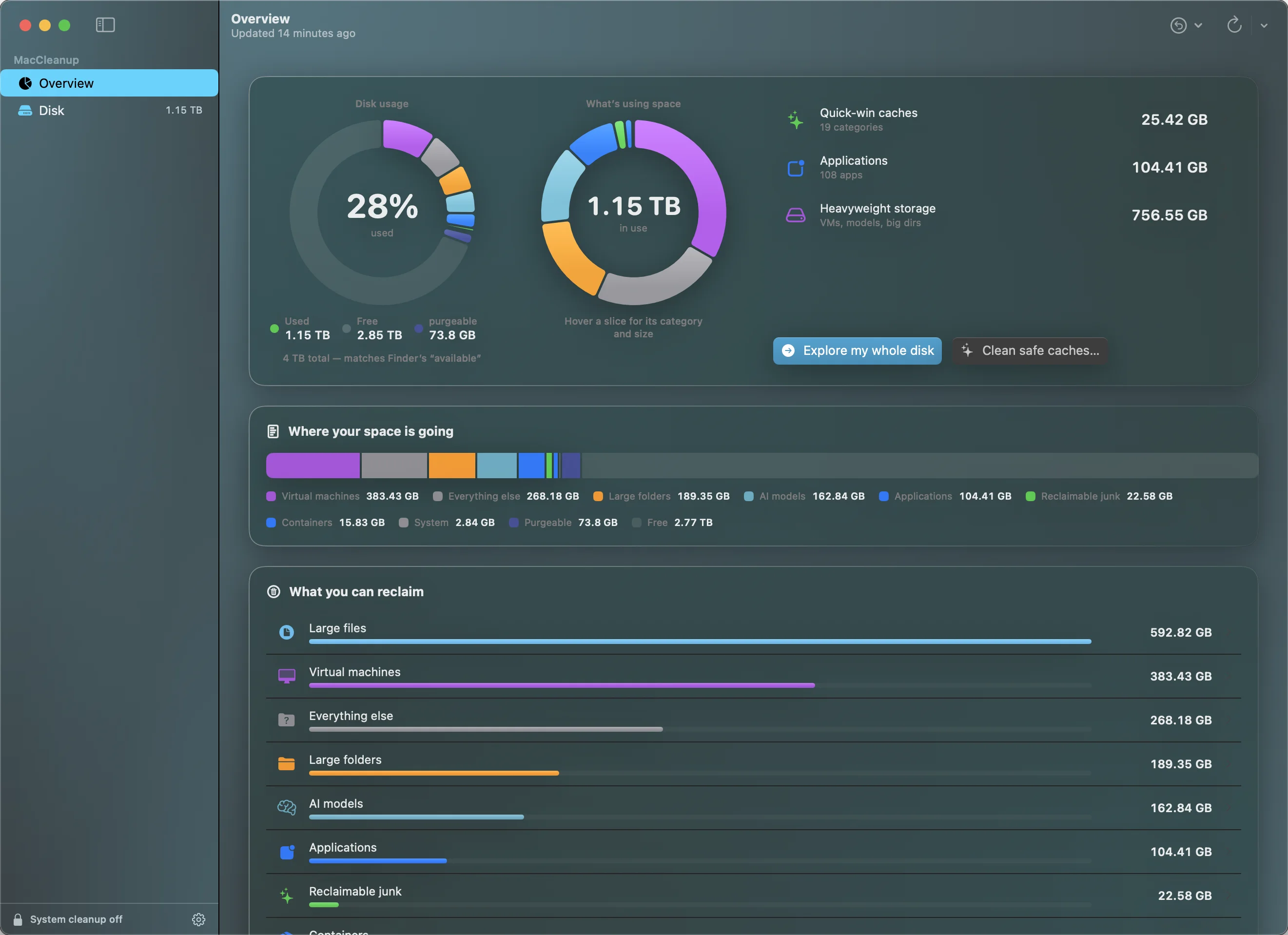
What it does
See where your space went. Reclaim it on your terms.
Two sides to the app — a read-only analysis that never touches a thing, and a reclaim flow that is dry-run by default and guarded at every step.
01
Read-only analysis
Total usage, reclaimable categories, and a live treemap of where your disk actually went. Sizing never modifies anything.
02
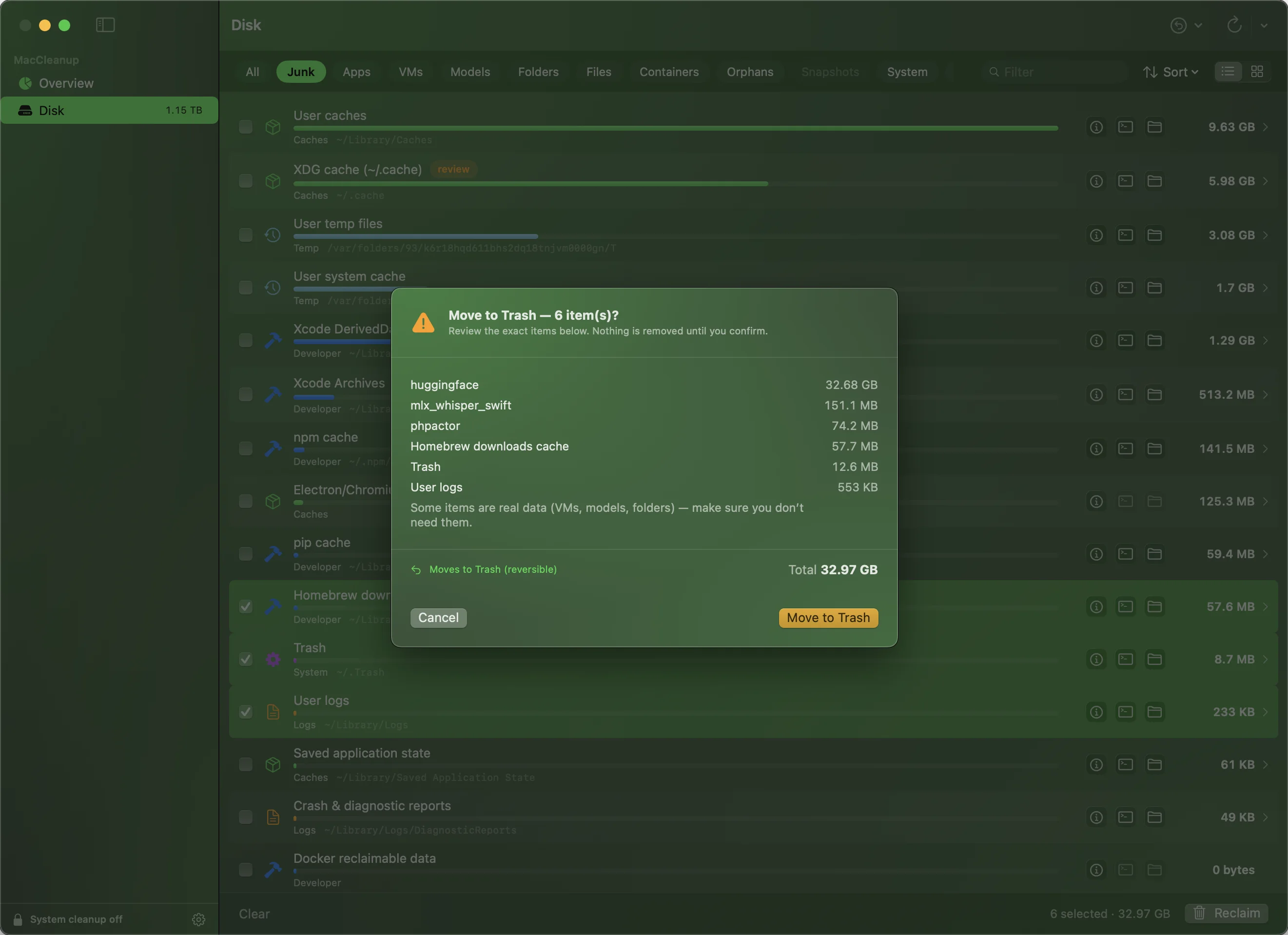
Dry-run reclaim
Before anything is removed you see the exact items and how much frees — then confirm. Moves to Trash, reversible.
03
A guard on every delete
Home-scoped paths must resolve inside your home; elevated cleanup uses a hardcoded allowlist. It refuses to touch what matters.
04
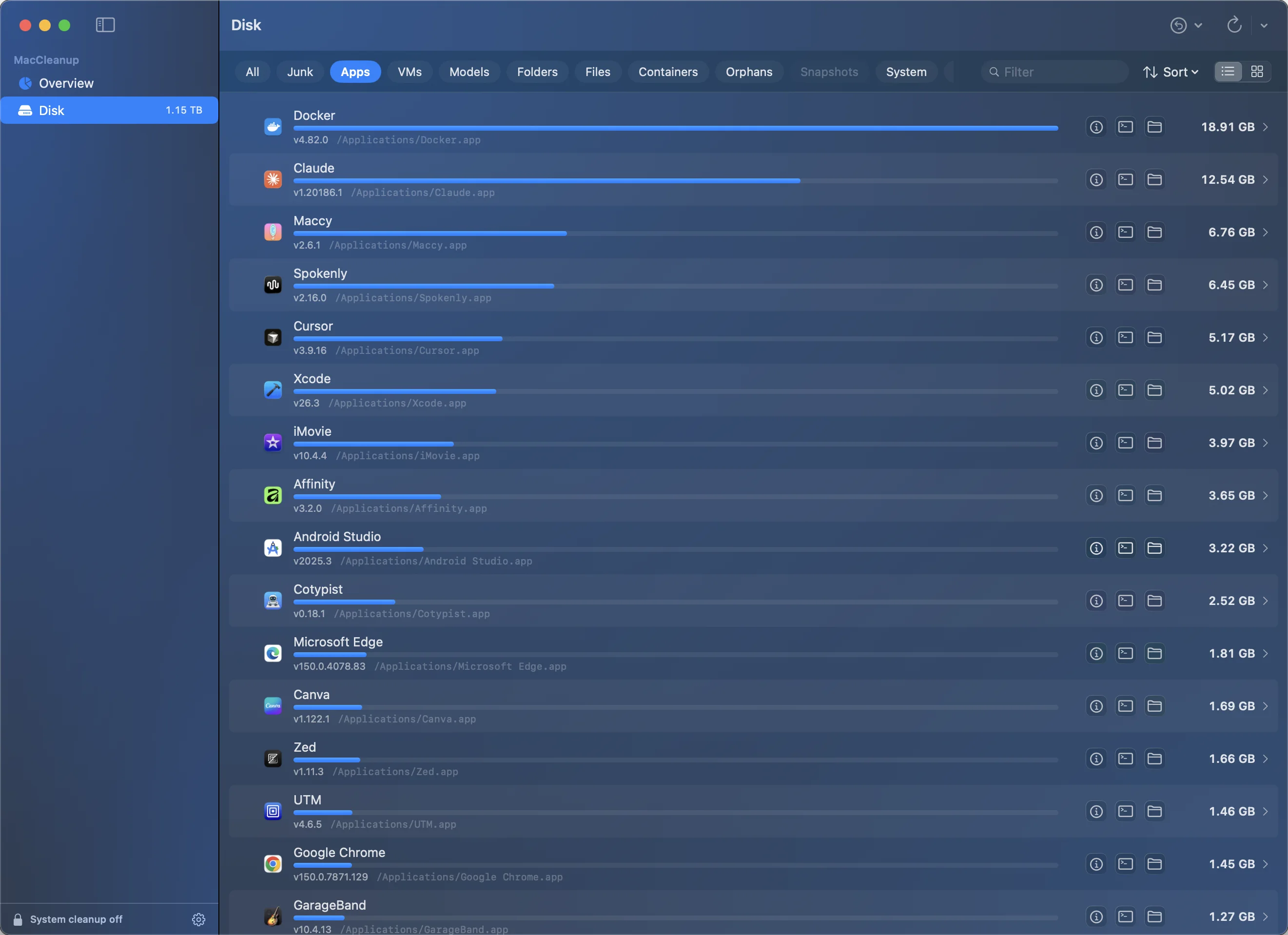
Per-app footprint
Every app ranked by its real size — bundle plus scattered
~/Library data — with the actual app icons.
05
Finds the heavy stuff
Virtual machines, AI models, containers and oversized folders — surfaced as real data, reclaimed only on explicit action.
06
Native & tiny
SwiftUI, Swift Charts, HIG to the core. A 1.7 MB download, signed and notarized — no Gatekeeper warnings.
The safety model
Nothing is removed until you say so.
- 01Preview before delete. The reclaim sheet lists every exact item and its size. You confirm; only then does anything move.
- 02Reversible by default. Reclaim moves to the Trash, not the void — recover anything you didn't mean to clear.
- 03Guarded paths. Deletions must pass strict rules — never
/System, your home root, or protected user folders. - 04Allowlisted elevation. System cleanup is limited to a hardcoded set and refuses swap, logging databases and shallow paths.
Plate 02 · Confirm
A closer look
A map of your disk.
Plate 03 · Treemap
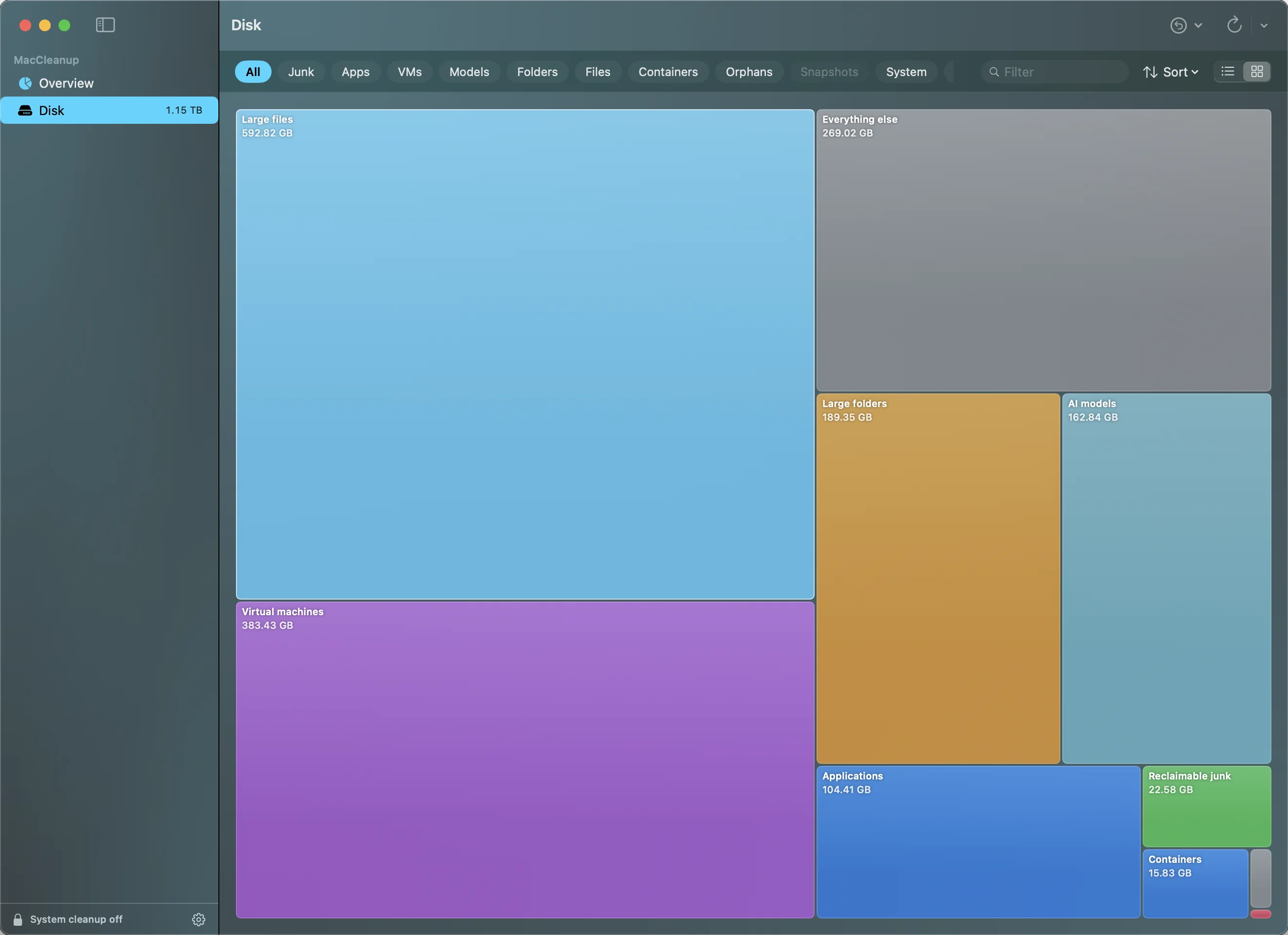
Plate 04 · Applications
The new heavyweights
It knows what a model is.
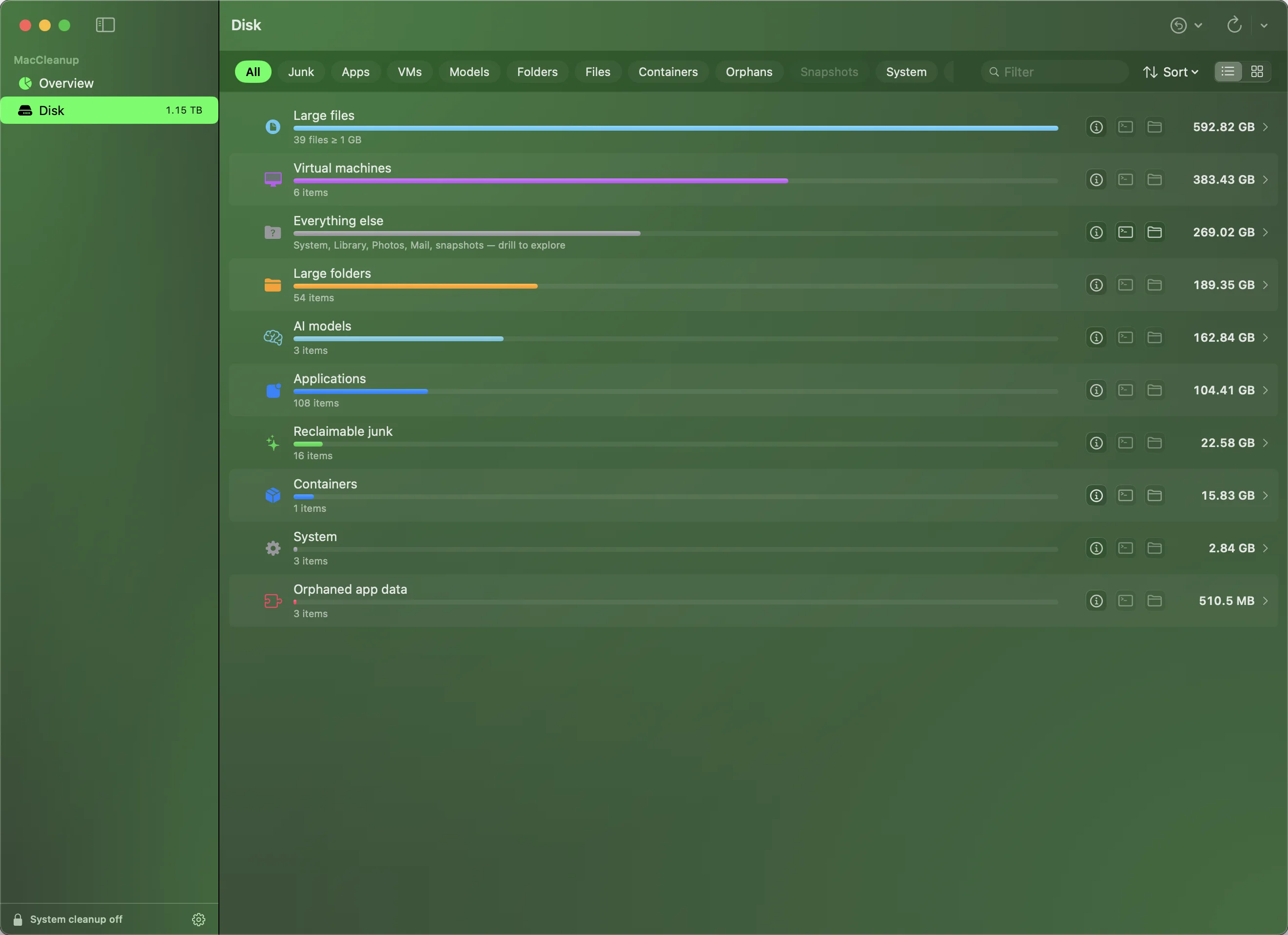
On today's Macs the biggest files are often the newest: a local language model, a stack of VM images, a container cache. Most disk tools file all of it under “other.” MacCleanup gives each its own category, sized to scale — so you can finally see what local AI and dev tooling are actually costing you.
- ◆AI models. The GGUF and MLX weights behind local LLMs, gathered into one line instead of scattered through Library — easily 100 GB+ once you've pulled a few.
- ◆Virtual machines. Every VM disk image, sized on its own, so the hundreds of gigabytes you forgot you were carrying are impossible to miss.
- ◆Containers. Docker and container data counted in its own right, not buried inside application support.
Plate 05 · Categories
Specification
Native, signed, tiny.
A direct download, not the Mac App Store — the deep disk access MacCleanup needs to find and reclaim space is off-limits inside the App Store sandbox. Every copy is signed and notarized by Apple, so it installs cleanly with no security warnings.
ProductMacCleanup
Version2.0.0
PlatformmacOS 14.0+
Size1.9 MB
Signed byApple Developer ID
NotarizedApple-verified
CategoryDisk analyzer & safe cleaner · utilities
Purchase
Own it once. Clean forever.
A one-time license for MacCleanup 2.0 — every 2.x update included. Handled internationally by Creem, with tax and receipts sorted.
✓ Lifetime license
✓ Notarized download
✓ 14-day refund